← All work
Live · Free app · v3

Masroof by AY Solutions

A free household money app. Sort the salary on payday, fill savings pots, and see what’s safe to spend today. Installs from the browser, works offline and keeps every number on the phone.

Get Masroof, freeiPhone and Android · no app store needed
Built for
Public, free
Type
Installable web app
Storage
On the phone only
Year
2026
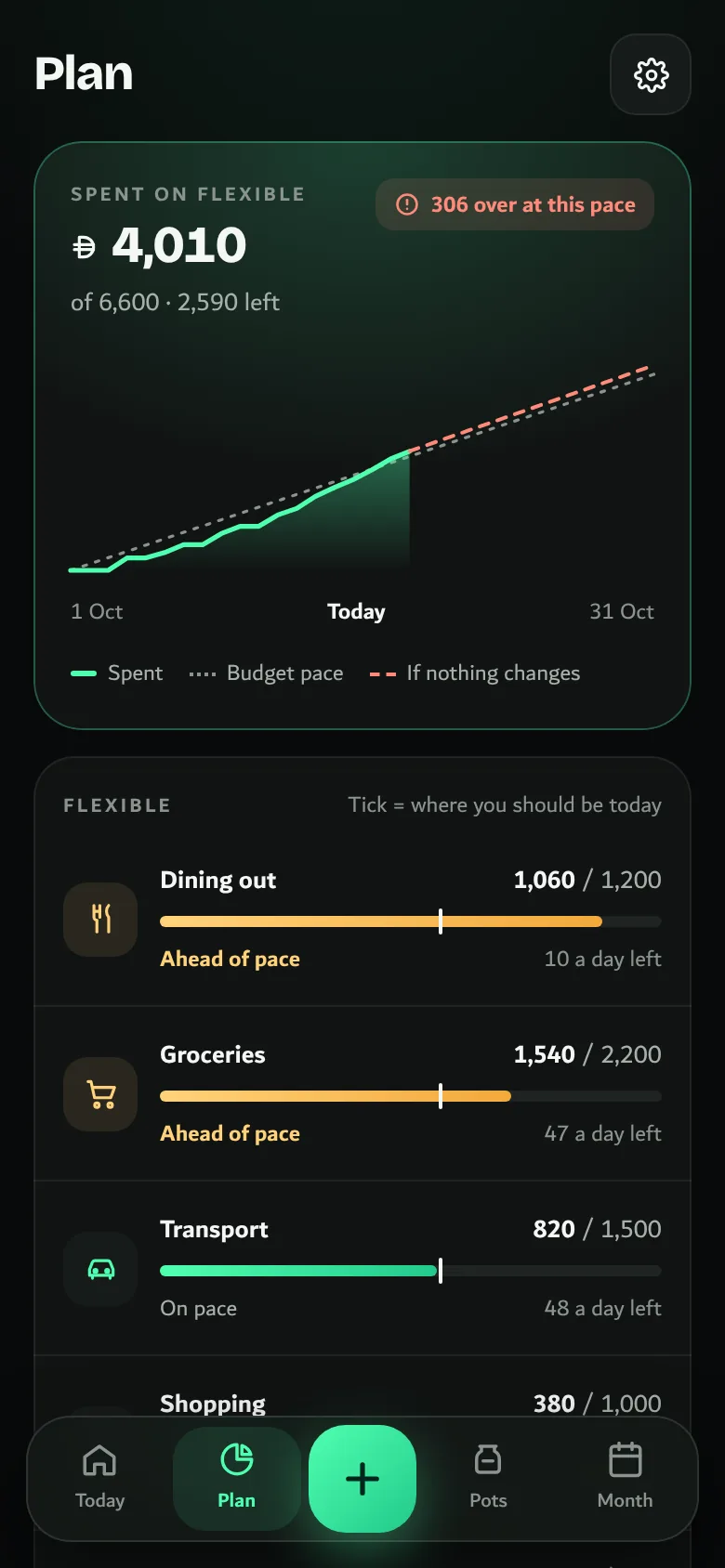
Plan tab with a soft area chart of spending against the budget pace
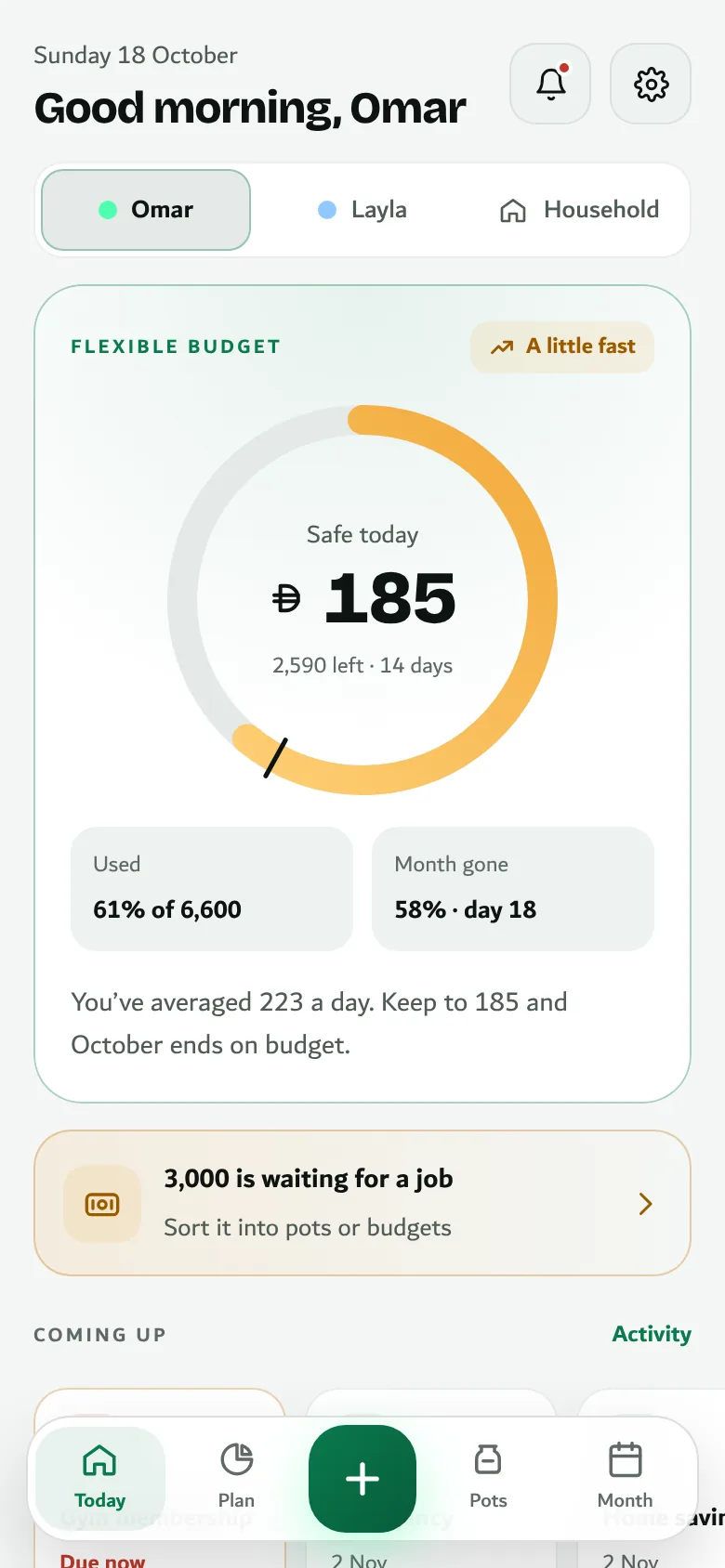
Today screen with a gradient dial showing what is safe to spend today
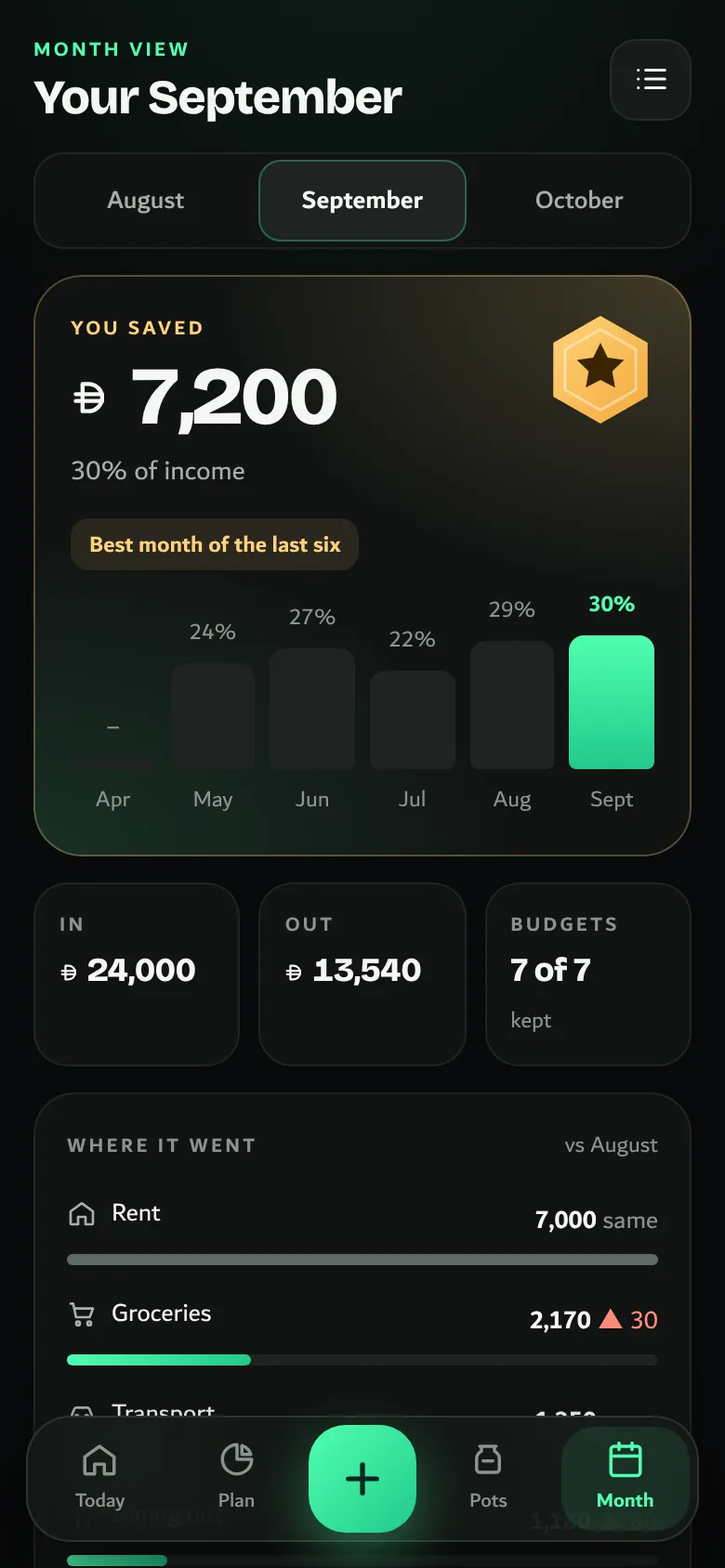
Monthly review with the amount saved and a best-month medal

Why it was needed

Most families track money in phone notes or a spreadsheet. The salary lands, the bills go out, and by the third week nobody knows how much is really left to spend.

Banking apps show a balance, not a plan. Budget templates need a laptop and discipline. Most finance apps want your bank login and keep your numbers on their servers.

How we built it

We studied how the leading finance apps (YNAB, Monzo, Revolut, Copilot) handle budgeting, safe-to-spend and monthly reviews, then designed our own version in the AY brand instead of copying any of them.

Everything runs from one money flow: the salary comes in, then splits into fixed bills, flexible spending and savings pots. From that flow the app works out one number people can act on, what’s safe to spend today, and one clear status, so the badge and the chart never disagree. Version 3 kept every user’s data and backups through the redesign.

Key features

01 / 05

Today: one number and one sentence

A gradient dial shows what’s safe to spend today, with a tick for how much of the month has gone. Under it, one plain sentence says what to do next.

  • Money waiting for a job, one tap from sorting it
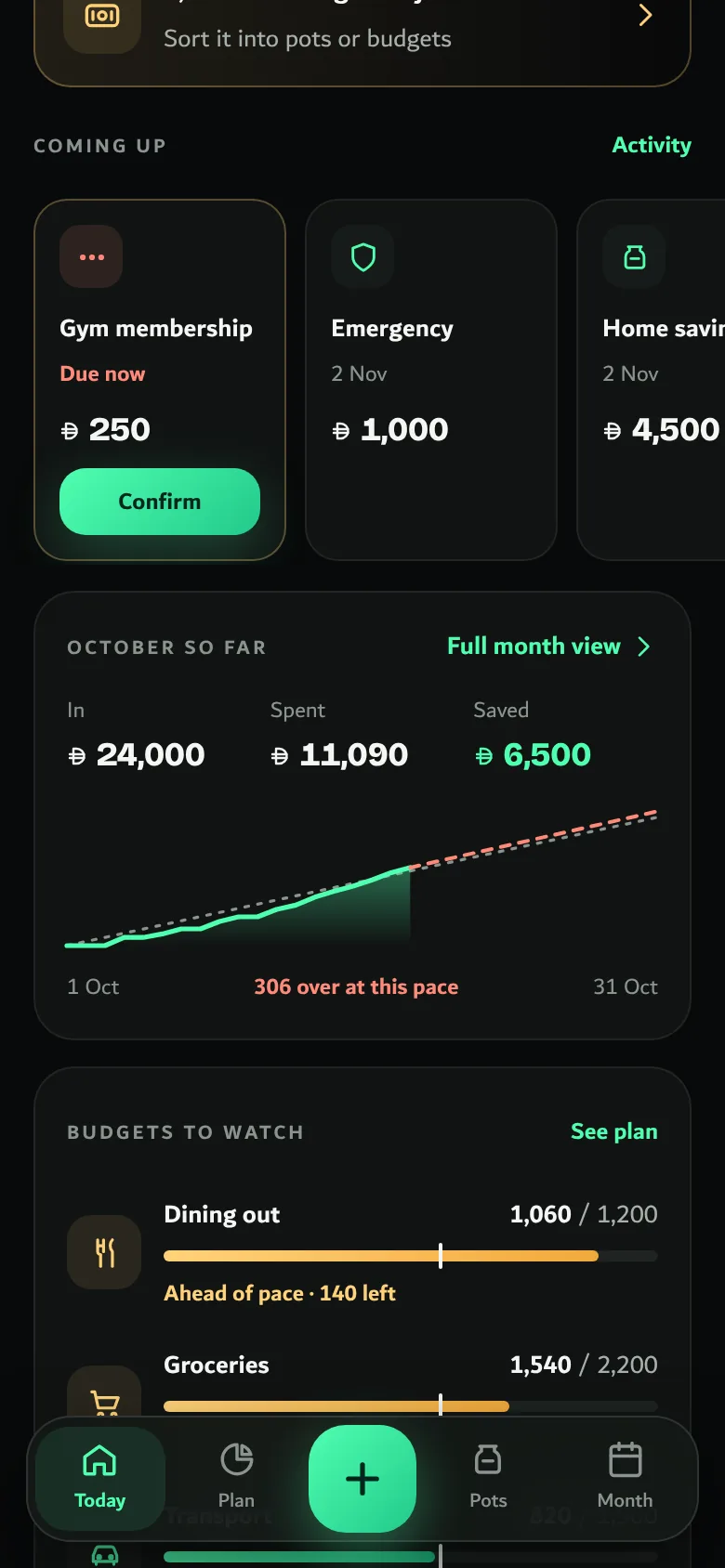
  • Coming up: repeats and bills you confirm with one tap
  • The month so far as one chart, linked to the full view
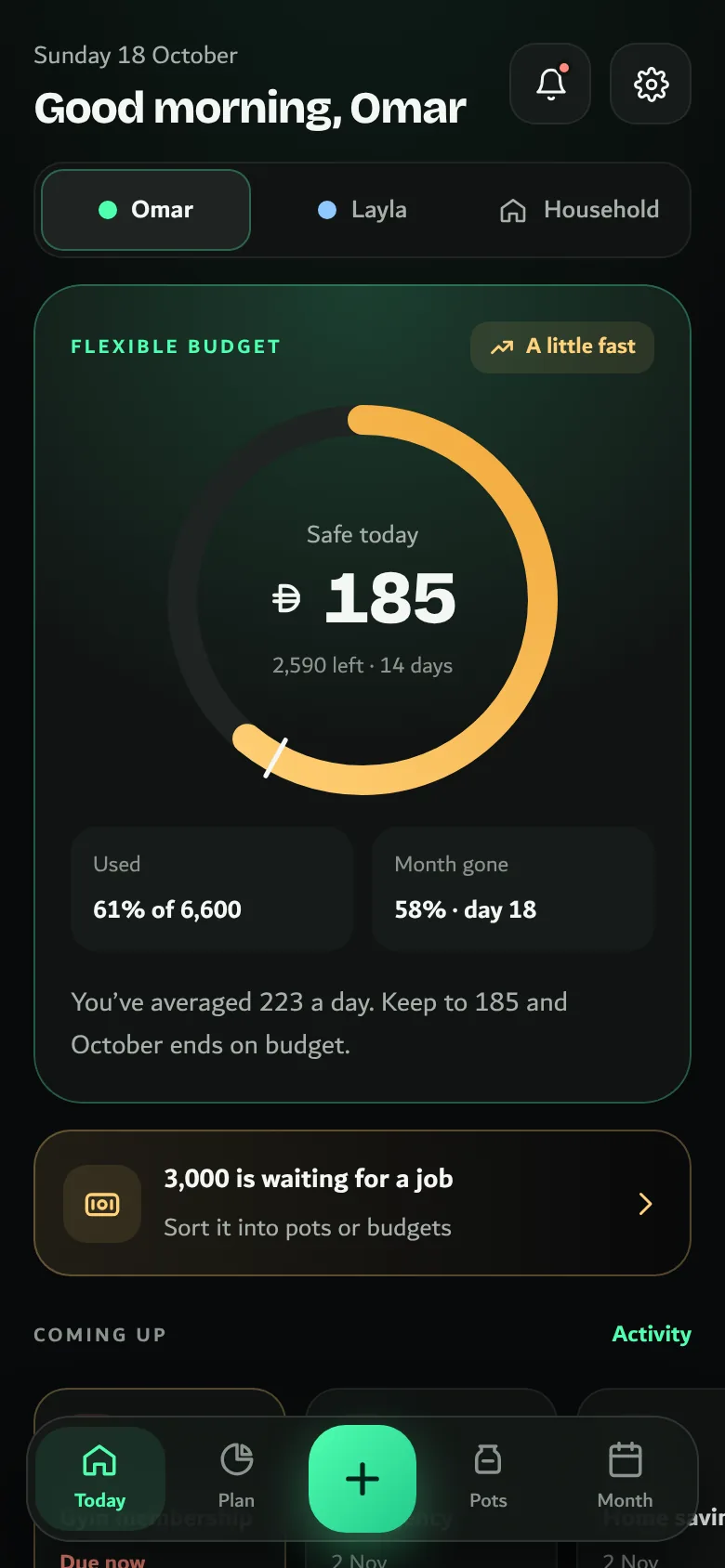
Today screen
Coming up and the month so far
02 / 05

Payday: sort your salary

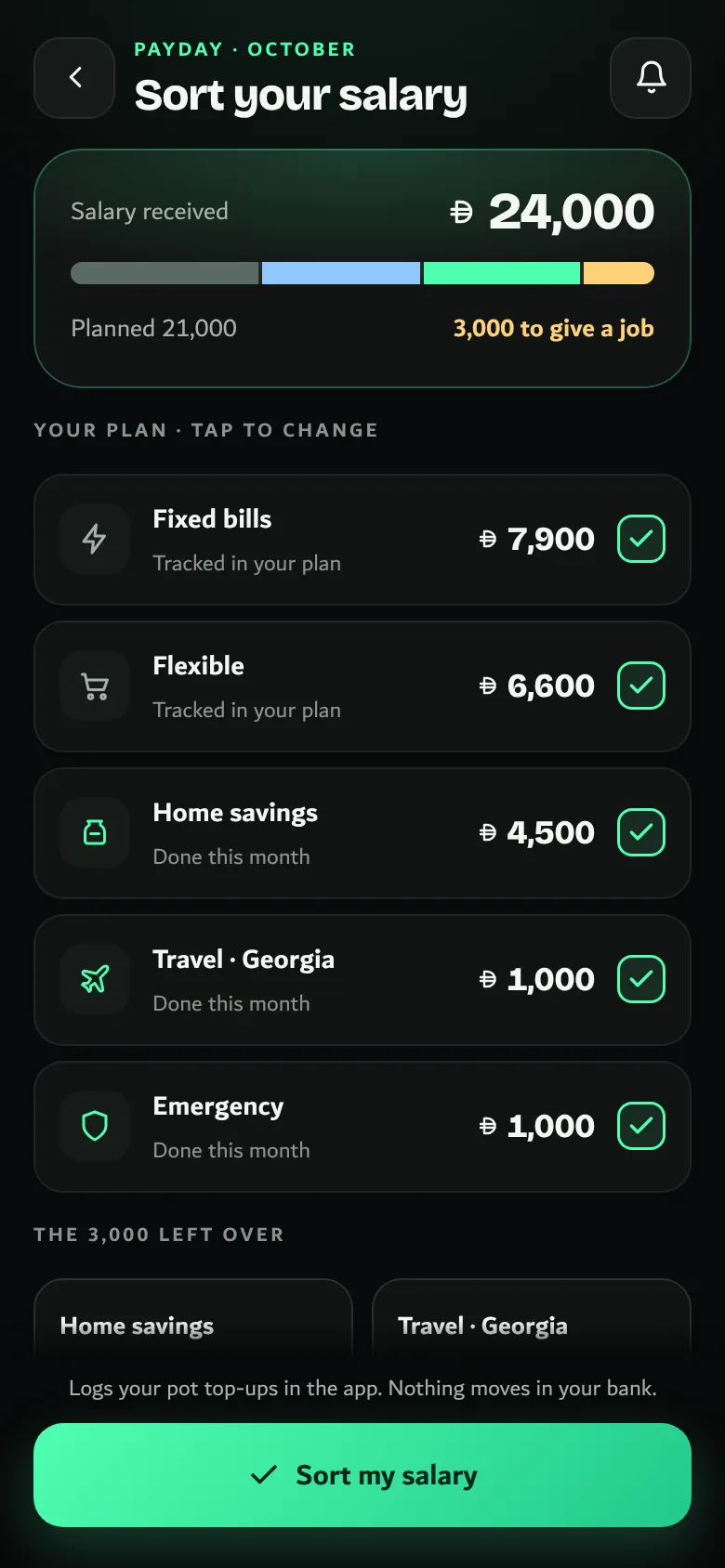
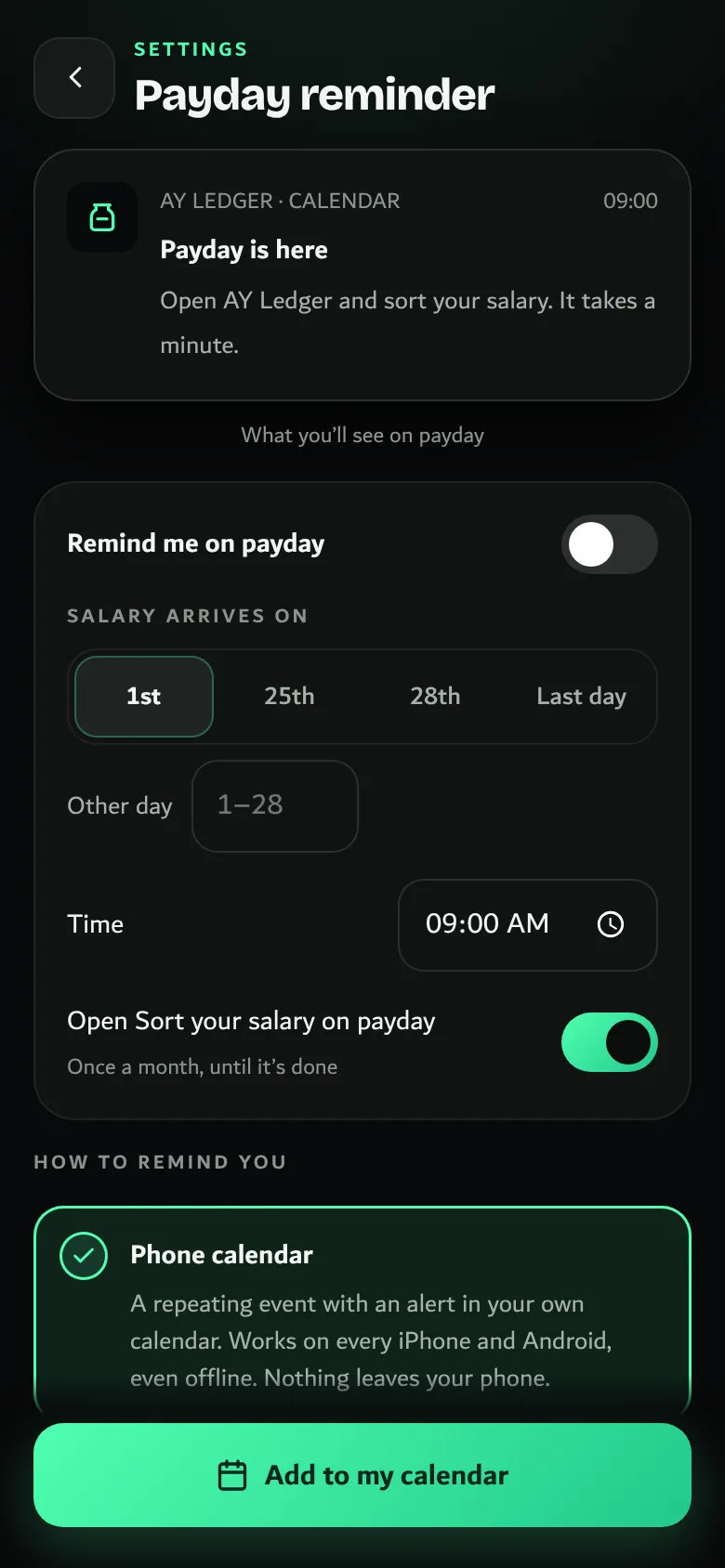
On payday the app opens on one screen that splits the salary into bills, budgets and each pot, then asks what to do with what’s left. A repeating reminder in the phone’s own calendar brings people back each month.

  • Logs the split in the app; nothing moves in the bank
  • Calendar reminder works offline, nothing leaves the phone
Sort your salary
Payday reminder
03 / 05

Plan and log in two taps

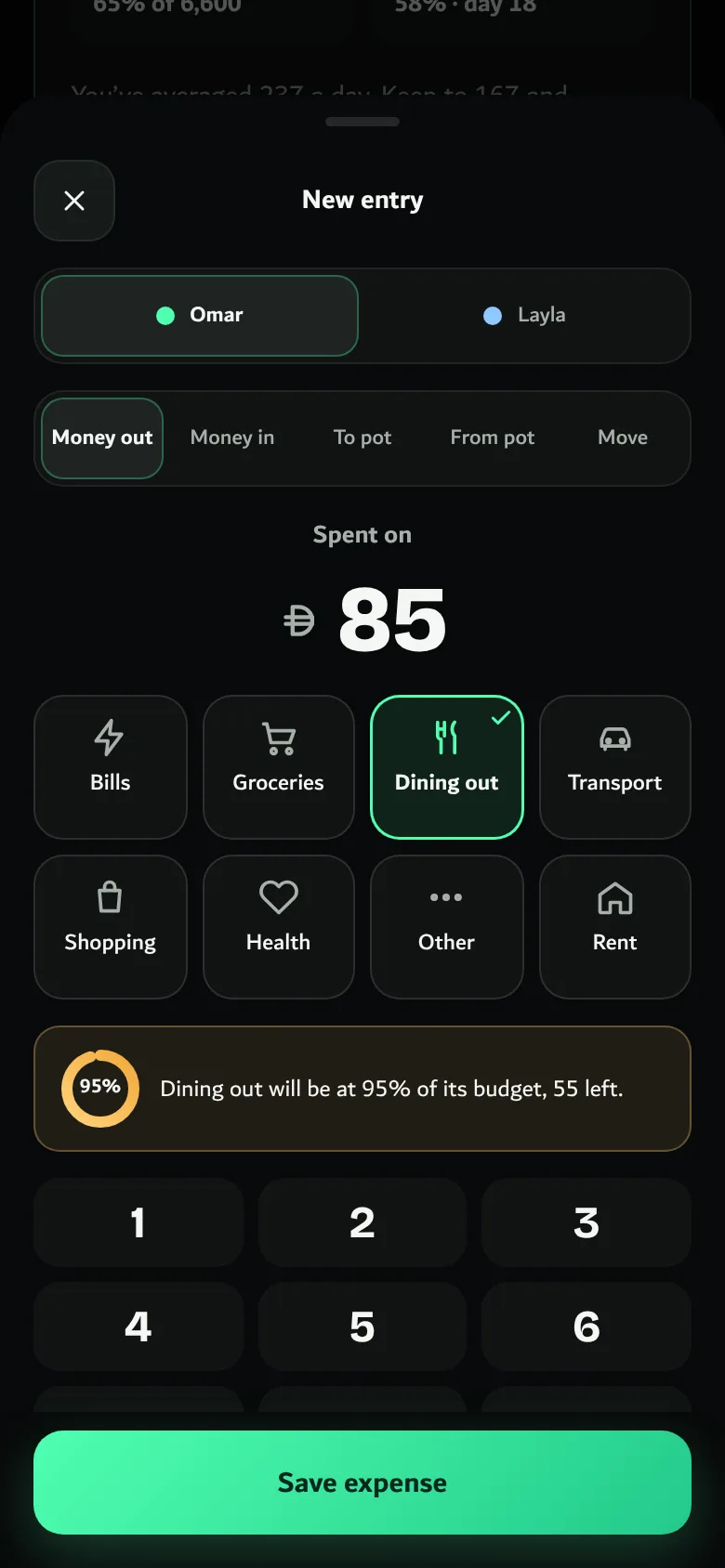
The Plan tab draws spending as a soft area chart against the budget pace, with a line for where the month ends if nothing changes. Logging shows the effect on the budget before you save.

  • Category rows with a tick for where you should be today
  • Category tiles and a live impact ring when adding
Plan tab
Adding an expense
04 / 05

Pots and a monthly review

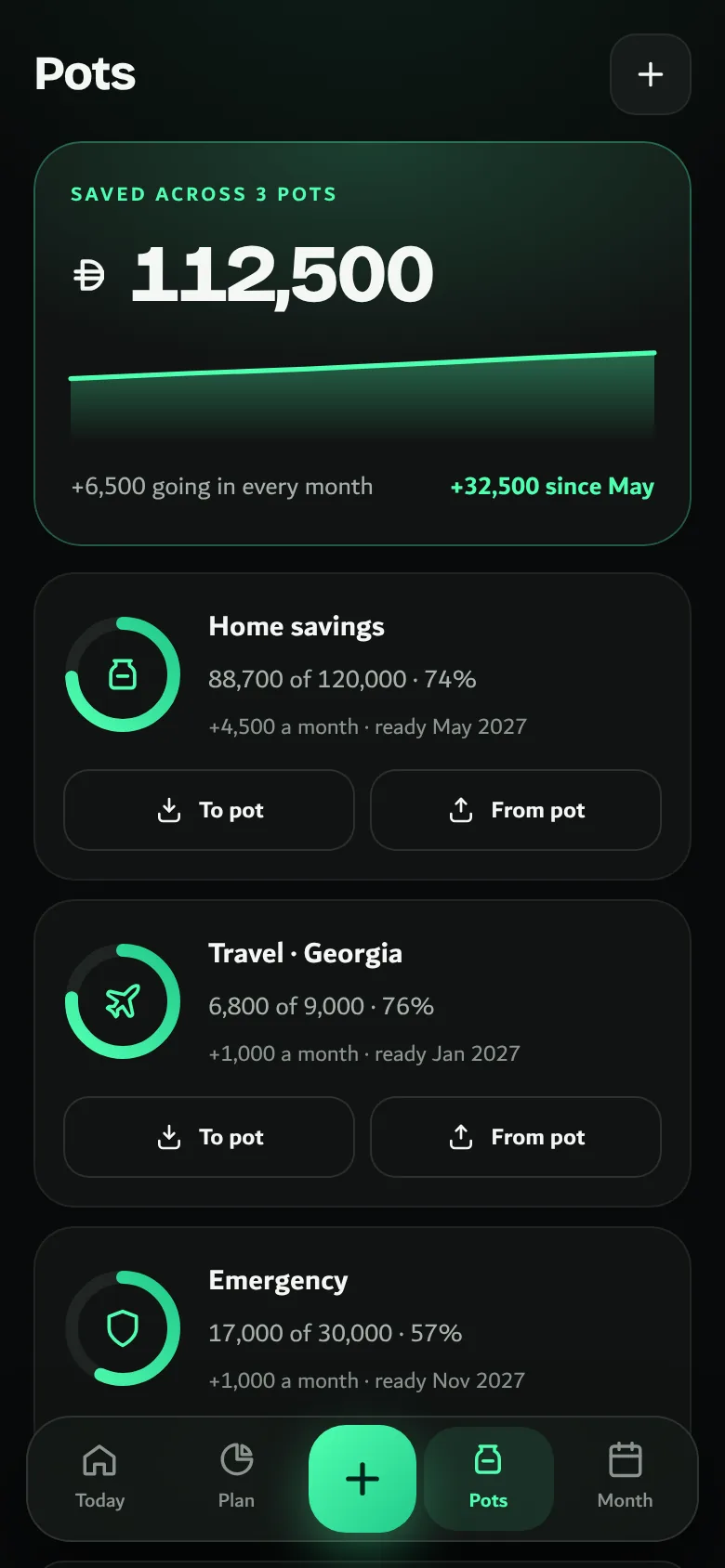
Each pot is a gradient ring with the month it will be ready. The Month tab tells the month as a short story: what you saved, where the money went against last month, wins and one thing to watch.

  • Gold medals for goals reached and best months
  • Optional Claude review, coming soon and off by default
Pots
Monthly review
05 / 05

Arabic and English, dark and light

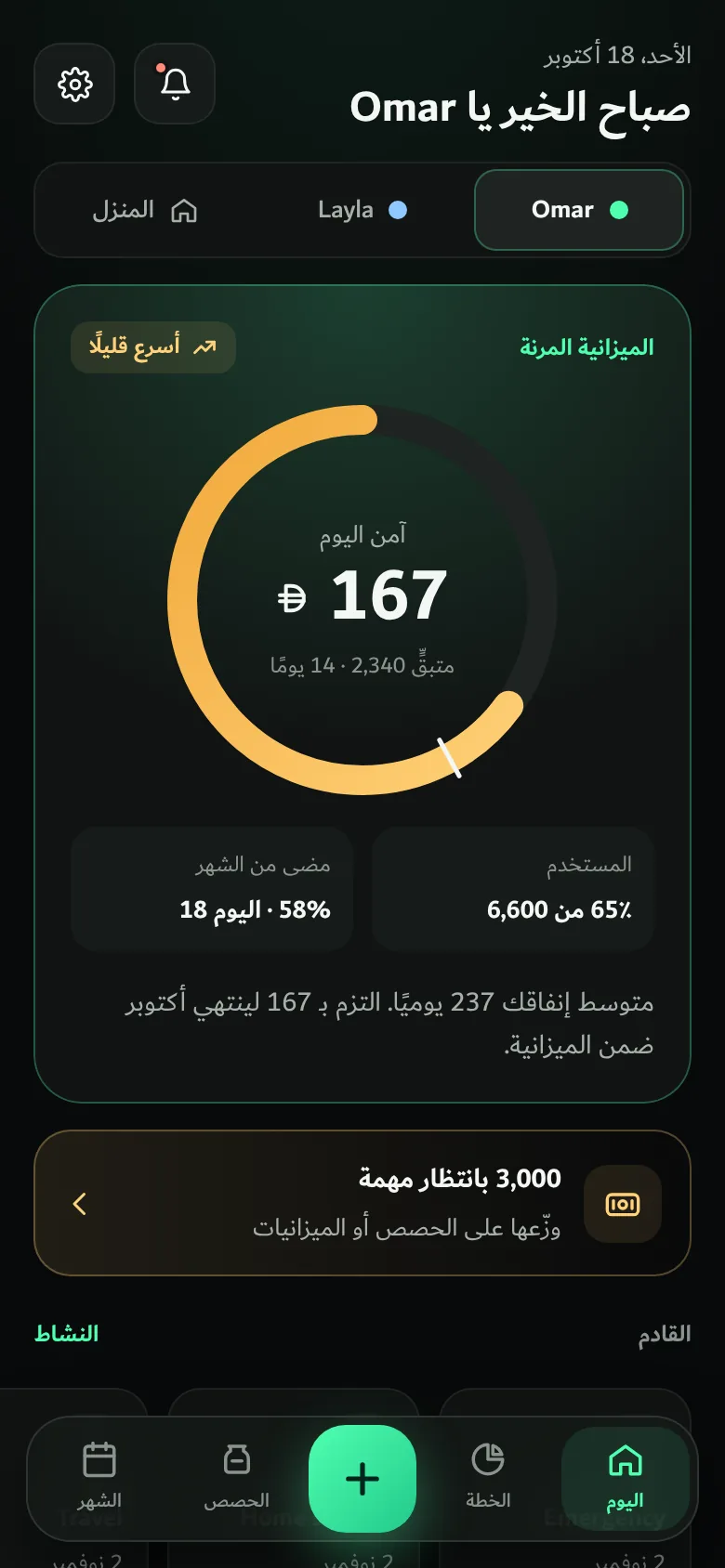
Full Arabic with a right-to-left mirror, down to the dial and the charts. Brand dark by default, following the phone’s own setting.

  • Install guide for iPhone, Android and in-app browsers
  • Face ID or PIN lock and encrypted backup
Arabic Today screen
Light theme

Built to last

No server, no account

Data lives in the phone’s own storage and the app works fully offline. Nothing is sent anywhere.

Encrypted backup

Backups are locked with your passphrase (AES-256) and restore on a new phone. Backups from every earlier version still restore.

Face ID or PIN

Unlocks with Face ID or fingerprint, with a PIN fallback stored only as a salted hash. Locks after a minute away.

ReactIndexedDBPWA · offlineWebAuthn / Face IDAES-GCM backupiCalendar remindersArabic RTL

What we’d add for a client

  • Monthly AI review: a short summary written by Claude from monthly totals only, opt-in.
  • Payday push notifications: through a small server that only knows the payday.
  • Business version: petty cash and team allowances with roles and approvals.

Names and amounts in these screens are sample data.

Still budgeting in notes or Excel?

We build small, private tools around how you actually handle money, for households, family offices and small businesses.

More work

All work →